
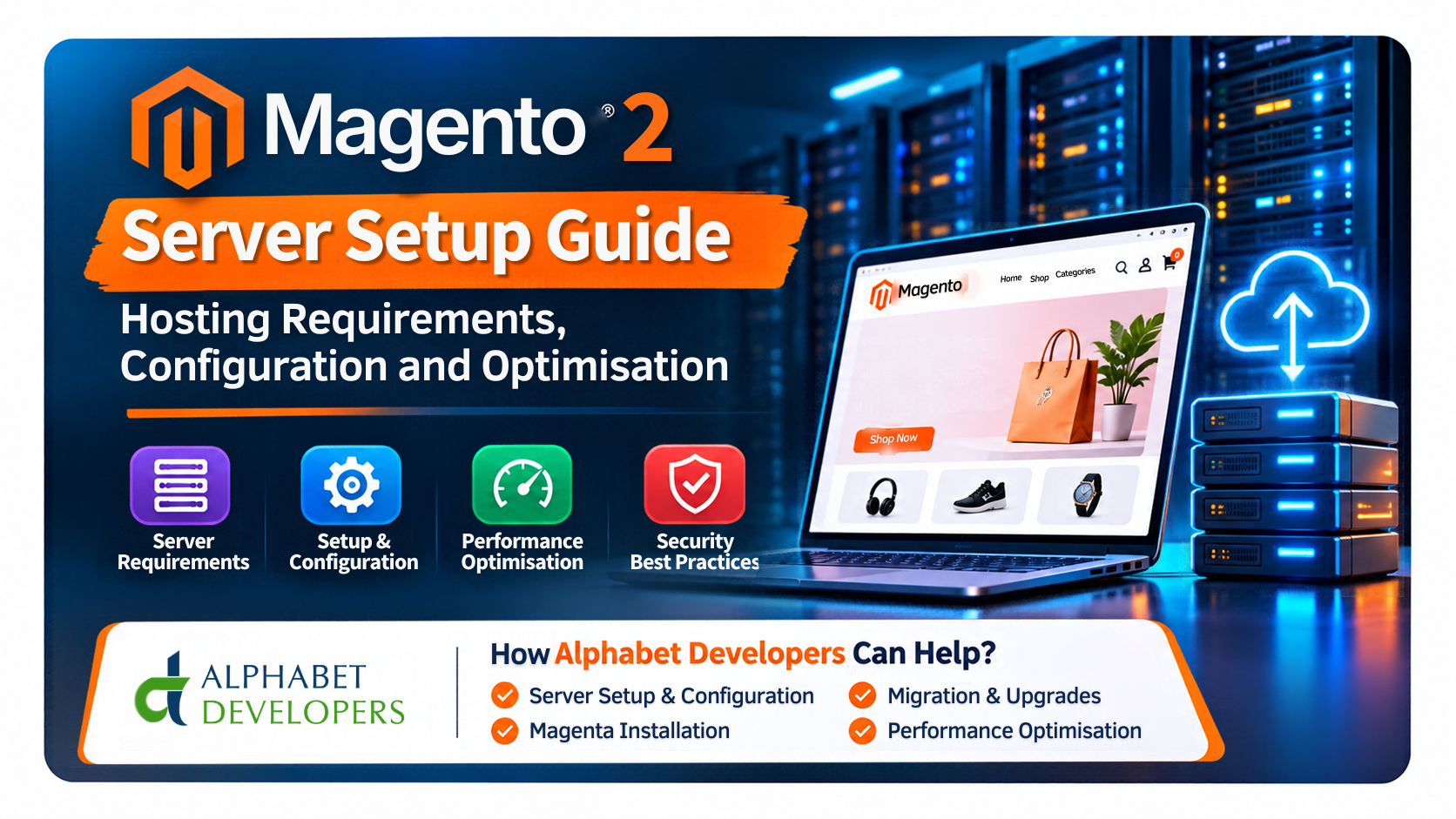
Launching a successful Magento 2 eCommerce website involves more than selecting a theme, uploading products and configuring payment methods. Behind every well-performing online store is a reliable server environment that processes customer requests, manages product information, handles orders and supports essential eCommerce operations.
Magento 2, also known as Magento Open Source or Adobe Commerce depending on the edition, is a powerful eCommerce platform designed to support businesses with different levels of complexity. It offers extensive customisation options, multi-store functionality, product management, third-party integrations and advanced business features. However, these capabilities require an appropriately configured hosting environment.
An incorrectly configured server can lead to slow website performance, failed installations, search errors, checkout problems, security vulnerabilities and unexpected downtime. Even a powerful server may perform poorly when its software components are incompatible or its resources are incorrectly allocated.
This makes Magento 2 server setup an important part of any eCommerce project.
In this guide, we explain the essential Magento 2 hosting requirements, the software components needed for a successful installation, server configuration best practices and performance optimisation techniques. We also explore how Alphabet Developers LLP can help businesses set up, configure, migrate and maintain their Magento 2 server infrastructure.
- Why Is Proper Magento 2 Server Setup Important?
Magento relies on several interconnected technologies to deliver its storefront and administrative functionality. These include PHP, a database server, a web server, a search engine and caching services.
Each component performs a different task. PHP processes application logic, the database stores information, the search engine handles catalogue searches, and caching services reduce repeated processing.
When these components are configured correctly, Magento can deliver a reliable shopping experience. When they are not, even basic operations may become problematic.
A properly configured Magento 2 server helps businesses achieve:
- Faster website loading and improved responsiveness.
- Reliable product search and catalogue indexing.
- Stable shopping cart and checkout operations.
- Efficient processing of orders and background tasks.
- Better protection against server-level security risks.
- Improved capacity to handle increased traffic.
- Easier maintenance, upgrades and troubleshooting.
Server configuration should therefore be treated as part of the overall eCommerce strategy rather than a task to complete only after website development.
- Magento 2 Hosting Requirements
Before purchasing a VPS, dedicated server or cloud hosting plan, it is important to understand the technical requirements of your Magento release.
Adobe publishes official system requirement tables for individual Commerce versions. These requirements include compatible PHP, database, search engine, Composer and other software versions.
For example, Adobe Commerce 2.4.9 lists PHP 8.5, Composer 2.10, OpenSearch 3, RabbitMQ 4.3 and Valkey 9 among its supported dependencies. Its database compatibility includes MySQL 8.4 and MariaDB 12.3, with MariaDB 11.8 also listed as compatible.
Magento 2.4.8 patch releases have different requirements, including PHP 8.3 or 8.4 for the latest 2.4.8 patch level. This demonstrates why checking the exact Magento version is essential before preparing a server.
2.1 Operating System
Magento 2 is commonly deployed on Linux-based servers. Popular choices include Ubuntu and other supported Linux distributions.
A Linux server provides flexibility for installing and managing the application stack, configuring services, scheduling background tasks and implementing security controls.
When selecting an operating system, consider:
- Compatibility with the selected Magento release.
- Availability of supported PHP and database packages.
- Security updates and long-term maintenance.
- Hosting provider support.
- Availability of technical expertise for administration.
Avoid selecting an operating system simply because it is the latest available version. Confirm compatibility with the complete Magento software stack first.
2.2 PHP
PHP is one of the most important components of a Magento installation. The platform uses PHP to execute application code, process customer requests and perform backend operations.
The PHP version must match the requirements of the Magento release.
The server may also require additional PHP extensions, such as those used for database connectivity, image processing, internationalisation, compression and other application functions.
Important PHP configuration areas include:
- PHP-FPM process management.
- Memory limits.
- Maximum execution time.
- Input variable limits.
- Upload and post-size limits.
- Required PHP extensions.
- OPcache configuration.
PHP-FPM allows the web server to communicate with PHP processes efficiently. Its worker settings should be configured according to the available server memory and expected traffic.
2.3 Web Server: Nginx or Apache
A web server receives incoming website requests and delivers the appropriate content to visitors.
Nginx and Apache are commonly used with Magento installations. Adobe’s production software recommendations specifically include Nginx with PHP-FPM.
Nginx is frequently selected for production Magento deployments because it offers flexible request handling and can work with PHP-FPM, SSL termination and reverse-proxy caching.
Apache is another option where the Magento release and deployment architecture support the chosen configuration.
The web server must be configured correctly to:
- Point to Magento’s public document root.
- Process PHP requests securely.
- Apply the correct rewrite rules.
- Enable HTTPS.
- Control access to sensitive application files.
- Handle static content efficiently.
A poorly configured document root or incorrect rewrite rules can expose files or cause website functionality to break.
2.4 Database: MySQL or MariaDB
Magento stores important information in its database, including customers, products, orders, store configurations and other application data.
Database performance has a direct impact on the shopping experience. Slow queries, insufficient memory, poor indexing or excessive database connections can affect page loading and checkout operations.
MySQL and MariaDB are common database options, but the supported version depends on the Magento release.
Important database considerations include:
- Correct version compatibility.
- Appropriate memory allocation.
- Storage performance.
- Database connection management.
- Query and index optimisation.
- Regular database backups.
- Monitoring of database health.
For larger stores, database performance should be reviewed regularly as the product catalogue and order volume increase.
2.5 Search Engine: OpenSearch or Elasticsearch
Magento uses a dedicated search engine for catalogue search and related indexing operations.
Depending on the Magento version, OpenSearch or Elasticsearch may be supported. The correct choice must be verified against Adobe’s compatibility matrix.
A properly configured search service helps customers find products through relevant search terms and supports catalogue-related application functions.
When the search service is unavailable or incorrectly configured, product search and indexing can fail.
The server setup should therefore include the correct search-engine version, service configuration, resource allocation and connectivity settings.
2.6 Caching: Valkey, Redis and Varnish
Caching is essential for maintaining Magento performance.
Magento uses application caching to reduce repeated processing and improve response times. Valkey or Redis may be used for supported cache and session-storage configurations, depending on the release.
An important compatibility consideration is that Adobe Commerce 2.4.9 uses Valkey rather than Redis for the supported cache backend. Some earlier Magento patch levels have different Redis and Valkey compatibility requirements.
Varnish is a separate HTTP caching layer that can sit in front of the web server and serve cached pages without repeatedly sending every request through Magento.
For self-hosted production deployments, Varnish is an important performance consideration. Adobe Commerce Cloud uses Fastly for its edge and full-page caching layer instead of a separately managed Varnish service.
2.7 RabbitMQ and Background Processing
Some Magento operations need to run in the background rather than during a customer’s immediate website request.
RabbitMQ provides message-queue functionality for supported Magento configurations and integrations. Queue consumers process messages and background workloads.
It may be required for specific application features, integrations or asynchronous operations depending on the selected setup.
A server administrator should verify which queue services are needed, configure the appropriate consumers and monitor their operation.
- Choosing the Right Hosting Environment
Once the software requirements are clear, the next step is selecting suitable hosting infrastructure.
There are several hosting options available for Magento businesses.
3.1 VPS Hosting
A Virtual Private Server provides allocated resources and greater configuration control than conventional shared hosting.
It can be suitable for small and medium-sized Magento stores when the server has enough CPU, memory and storage to support the application stack.
Advantages:
- Flexible server configuration.
- More control over installed software.
- Generally lower cost than dedicated infrastructure.
- Suitable for many growing eCommerce businesses.
However, an unmanaged VPS requires Linux administration and server maintenance expertise.
3.2 Dedicated Server Hosting
A dedicated server provides physical server resources for one customer.
It can be suitable for stores with larger catalogues, higher traffic volumes or specialised infrastructure requirements.
Businesses benefit from greater control over the server environment, but hardware costs and maintenance responsibilities can be higher.
3.3 Cloud Hosting
Cloud infrastructure provides flexible computing resources and options for managed services, distributed architecture and scaling.
It can be useful for businesses that require additional flexibility, separate application services or more advanced availability arrangements.
However, cloud architecture can become complex, and costs need to be monitored carefully.
How Do You Choose?
There is no universal server specification that works for every Magento store.
The right hosting solution depends on product volume, customer traffic, concurrent users, installed extensions, integrations, expected growth and operational requirements.
A small development installation may work comfortably with a modest configuration, while a busy production store with multiple storefronts may require several dedicated services.
Always assess the complete workload before selecting a hosting plan.
- Step-by-Step Magento 2 Server Setup Process
After selecting suitable infrastructure, the server needs to be prepared for Magento installation.
The following process provides a general overview of a typical self-hosted deployment.
Step 1: Prepare the Linux Server
Begin by provisioning the server with a supported operating system and confirming that you can access it securely through SSH.
Initial preparation generally includes:
- Updating operating system packages.
- Creating appropriate administrative users.
- Configuring SSH access.
- Setting the system hostname and time zone.
- Reviewing firewall rules.
- Configuring basic security controls.
Avoid using the root account for routine application administration.
Step 2: Install the Required Software
Install the software components compatible with the selected Magento release.
These may include PHP and its required extensions, Nginx or Apache, MySQL or MariaDB, OpenSearch or Elasticsearch, and supported caching services.
RabbitMQ, Valkey, Redis and Varnish should be included where required or appropriate for the chosen architecture.
Do not install arbitrary software versions without checking the official compatibility matrix.
Step 3: Configure PHP and the Web Server
Configure PHP-FPM with suitable process settings, memory limits and other application requirements.
Next, configure Nginx or Apache to serve the Magento website.
The configuration should use Magento’s public directory as the web document root. HTTPS should also be enabled through a valid SSL/TLS certificate.
Step 4: Configure the Database and Search Engine
Create the Magento database and a dedicated database user with the necessary permissions.
Then install and configure the supported search service. Confirm that Magento can communicate with the database and search engine successfully.
Test service availability before proceeding with the installation.
Step 5: Install Magento Using Composer
Magento installation is generally managed through Composer, which handles application dependencies.
The required project package and dependencies should be installed using the appropriate Composer commands and authorised repository credentials.
The Magento command-line installer can then be used to configure the database connection, base URLs, administrative access and other application settings.
The exact commands vary depending on the Magento edition and installation method.
Step 6: Configure Cron Jobs and Queue Consumers
Cron jobs are essential for Magento’s day-to-day functionality.
They handle scheduled operations such as indexing, emails, newsletters, sitemaps and other application tasks.
Queue consumers may also need to run continuously or according to the requirements of the application.
A successful homepage load does not guarantee that cron and background processing are working correctly. These services should be tested as part of the installation.
Step 7: Set Production Mode and Review Permissions
For a production deployment, Magento should be configured in production mode.
File ownership and permissions must be applied carefully so that the application and web server can access the required resources without unnecessarily exposing sensitive files.
Avoid setting overly permissive permissions across the complete Magento directory.
Step 8: Test the Complete Store
Before making the store publicly available, test important customer journeys.
These should include:
- Homepage and category-page loading.
- Product search and product details.
- Adding products to the basket.
- Checkout and payment integration.
- Customer registration and login.
- Order placement and order emails.
- Admin panel access.
- Product indexing and scheduled tasks.
Testing should also cover SSL certificates, redirects, caching and error logs.
- Magento 2 Server Security Best Practices
Security should be part of the initial setup, not something added after a problem occurs.
An eCommerce server contains commercially sensitive information and supports customer transactions. Appropriate controls help reduce the risk of unauthorised access and service disruption.
Important security measures include:
Keep Magento updated: Apply security patches and supported software updates after checking application and extension compatibility.
Use strong authentication: Protect administrative accounts with strong passwords, appropriate multi-factor authentication where available, and restricted access.
Configure the firewall: Expose only the services that need to be accessible. Restrict database, cache and search services to authorised connections.
Secure SSH access: Use controlled administrative access and avoid unnecessary public exposure of management services.
Enable HTTPS: Use a valid SSL/TLS certificate and ensure that website traffic is served securely.
Maintain regular backups: Back up the database and important application data. Keep copies separate from the production server and test restoration procedures.
Monitor server activity: Review system logs, application logs, resource utilisation and unusual login activity.
Security is an ongoing process that requires regular reviews, patching and maintenance.
- Magento 2 Server Optimisation Techniques
A correctly installed server is only the starting point. Performance must be monitored and improved as the store grows.
6.1 Enable the Correct Caching Configuration
Magento supports different caching layers, including application cache, full-page cache and static content caching.
Use the supported cache backend for your Magento release. Configure Varnish for appropriate self-hosted production deployments, where suitable.
Caching reduces repeated application processing and can improve storefront response times.
6.2 Optimise PHP-FPM and OPcache
PHP-FPM manages PHP processes, while OPcache reduces the need to repeatedly compile PHP scripts.
Correct process allocation and OPcache configuration can help improve application performance.
Settings should be based on available memory and expected traffic. Too many PHP workers can exhaust server resources, while too few may restrict request handling.
6.3 Improve Database Performance
Monitor slow queries, database connections, memory consumption and storage utilisation.
Review inefficient database operations and unnecessary extensions that generate excessive queries.
As the store grows, database configuration may need to be adjusted to handle larger catalogues and increased order activity.
6.4 Optimise Images and Static Assets
Large product images and unnecessary frontend assets can increase page-loading times.
Compress images, use appropriate image formats, review JavaScript and CSS delivery, and remove unused frontend resources where possible.
A CDN can help distribute static assets to customers in different geographical locations.
6.5 Monitor CPU, RAM and Disk Usage
Continuous monitoring helps identify resource bottlenecks before they become serious problems.
Important metrics include CPU utilisation, memory consumption, disk capacity, disk I/O, network performance, database health and service availability.
Performance testing during expected peak traffic periods can also help identify limitations.
6.6 Review Magento Extensions and Custom Code
Third-party extensions can add valuable features, but poorly optimised modules may affect website speed and stability.
Regularly review installed extensions, remove unused modules and check custom code for inefficient database queries or unnecessary processing.
Application optimisation should be considered alongside server optimisation.
- How Alphabet Developers LLP Can Help with Magento 2 Server Setup
Setting up a Magento server requires knowledge of both Linux infrastructure and Magento application requirements. Businesses often find it challenging to select the right hosting plan, configure software dependencies and troubleshoot issues after installation.
Alphabet Developers LLP provides Magento development, server setup, hosting support and eCommerce technical services to help businesses establish and maintain their online stores.
Our services can support businesses at different stages of their Magento journey.
7.1 Server Consultation and Hosting Selection
We can help review your Magento version, store requirements, traffic expectations, product catalogue and budget to identify a suitable hosting approach.
Whether you are considering VPS hosting, a dedicated server or cloud infrastructure, our team can assist with evaluating the available options.
The objective is to select a solution that meets your current requirements while allowing room for business growth.
7.2 Linux VPS and Dedicated Server Configuration
Alphabet Developers can assist with Linux server preparation and configuration for Magento projects.
Depending on the agreed scope, this may include:
- Linux operating system setup.
- Nginx or Apache installation and configuration.
- PHP and PHP-FPM configuration.
- MySQL or MariaDB setup.
- OpenSearch or Elasticsearch configuration.
- Valkey or other supported cache configuration.
- SSL certificate installation.
- Firewall and server security configuration.
- Basic performance and resource checks.
This helps establish a server environment that is prepared for the selected Magento release.
7.3 Magento 2 Installation and Deployment
We can help install Magento 2, configure its application dependencies and prepare the website for development or production deployment.
Our support can include Composer-based installation, database configuration, search connectivity, cron setup, production-mode configuration and testing.
This is particularly useful for businesses launching a new Magento store or moving from another eCommerce platform.
7.4 Magento Migration and Server Transfer
Moving an existing Magento website to a new server requires careful planning.
The migration may involve transferring application files, database records and media assets, updating configuration, reconnecting services and testing important store functionality.
Alphabet Developers can assist with Magento server migration and deployment checks, helping businesses move to a more suitable hosting environment.
A planned migration should include backups, a rollback approach and testing before DNS changes are made.
7.5 Magento Performance Optimisation
If your website is experiencing slow page loading, indexing errors or server resource issues, our team can assist with technical investigation.
This may include reviewing PHP configuration, cache settings, database performance, server resource usage, frontend assets and extension-related problems.
The goal is to identify the actual bottlenecks and recommend practical improvements rather than simply increasing server resources without understanding the cause.
7.6 Ongoing Server Support and Maintenance
A Magento server needs regular technical attention after launch.
Alphabet Developers can provide ongoing server support and Magento-related technical assistance according to the agreed service scope.
This may include server troubleshooting, configuration changes, maintenance support, migration assistance, performance reviews and upgrade-related checks.
Clear maintenance responsibilities should be established for monitoring, backups, patching and incident handling.
7.7 Infrastructure That Can Grow with Your Business
As your business expands, your Magento store may need more resources, additional services or a different server architecture.
We can help review your current environment and plan appropriate infrastructure improvements based on changing traffic, catalogue size and operational requirements.
Whether you are starting with a VPS or planning a more advanced cloud environment, the infrastructure should support your business objectives without creating unnecessary complexity.
- Common Magento 2 Server Setup Mistakes to Avoid
Many hosting issues can be prevented through proper planning and testing.
Here are some common mistakes businesses should avoid:
- Installing incompatible software versions: Always check the official Magento compatibility requirements before installing PHP, database and search services.
- Choosing hosting based only on price: Low-cost hosting may not provide sufficient resources or configuration control.
- Ignoring caching: A production Magento store needs an appropriate caching strategy.
- Using incorrect file permissions: Poor permissions can cause application failures or create security risks.
- Forgetting cron jobs: Missing scheduled tasks can affect indexing, emails and other core operations.
- Skipping backups: A backup strategy should include regular restoration testing.
- Ignoring monitoring: Unnoticed CPU, memory or disk problems can eventually affect the store.
- Making changes directly on the live website: Use a staging environment to test significant updates and configuration changes before production deployment.
Avoiding these mistakes can make server administration more predictable and reduce preventable operational problems.
Conclusion
Magento 2 server setup is an essential part of building a reliable and scalable eCommerce website. From selecting compatible hosting infrastructure to configuring PHP, the database, search services, caching and security, every component contributes to the overall performance of the store.
A successful deployment requires more than installing Magento. It involves understanding the application’s technical requirements, choosing appropriate server resources, configuring services correctly, testing important functions and maintaining the environment over time.
Alphabet Developers LLP can help businesses with Magento 2 server setup, Linux VPS configuration, dedicated server preparation, Magento installation, migration, performance optimisation and ongoing technical support.
Whether you are launching a new eCommerce website, moving to a new hosting provider or resolving problems with your existing Magento server, our team can help you work towards a more reliable hosting environment.
Need help setting up your Magento 2 server?
Visit www.alphabetinfo.com to explore Alphabet Developers’ web development, Magento and server support services and discuss your project requirements.
Official Technical References
For version-specific compatibility and implementation guidance, consult Adobe’s official documentation:
- Magento and Adobe Commerce System Requirements
- Adobe Commerce Software Recommendations
- Adobe Commerce Production System Setup
- Adobe Commerce Caching Overview


