
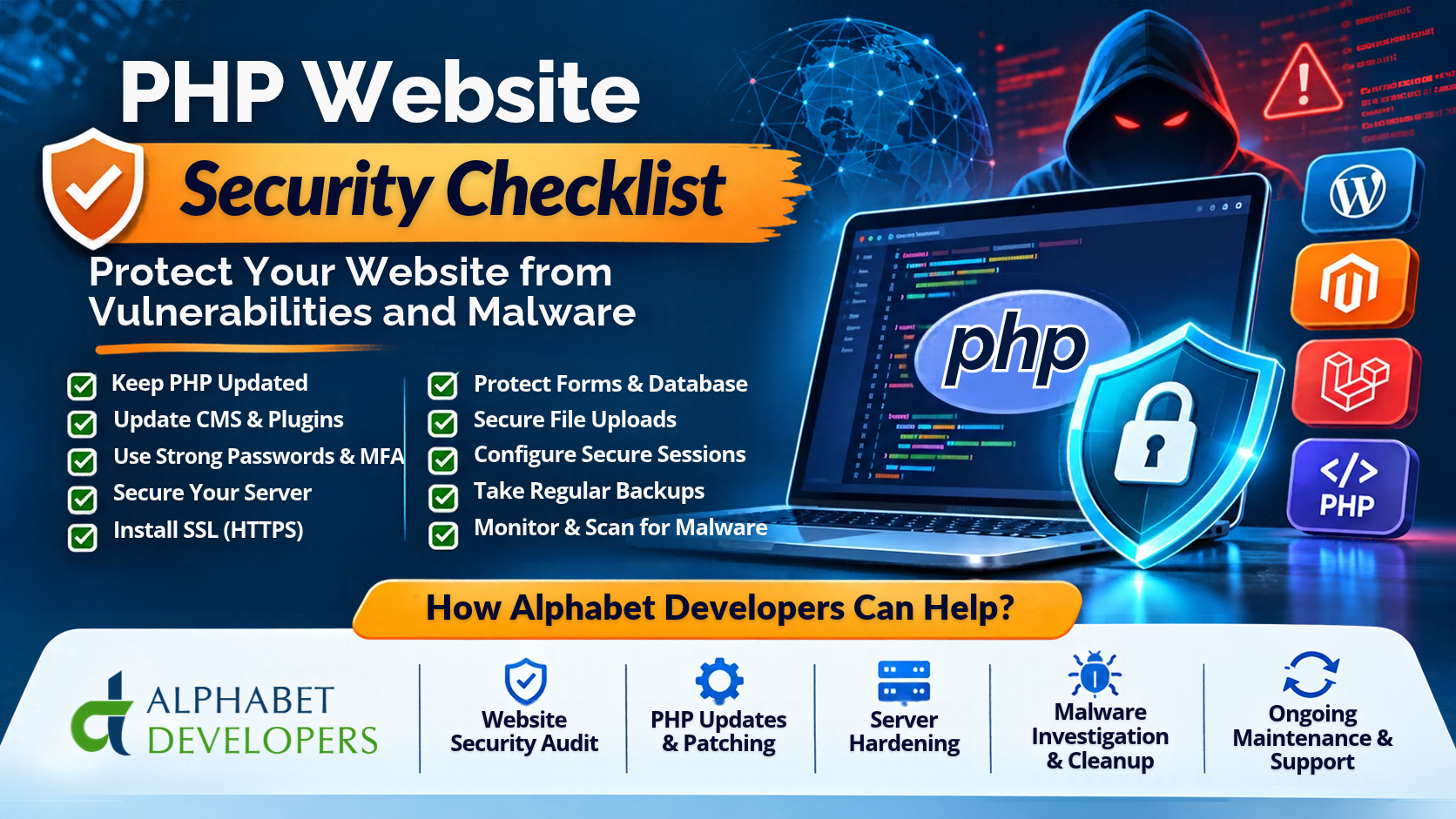
Your website is one of your most valuable business assets. It represents your brand, connects you with customers, generates enquiries and supports online sales. However, it can also become a target for cybercriminals if it is not properly secured.
PHP powers a large number of websites and web applications, including platforms such as WordPress, Magento, Laravel and many custom-built eCommerce systems. Although PHP is widely used and offers a mature development ecosystem, its security depends on multiple factors, including the PHP version, application code, third-party libraries, server configuration and ongoing maintenance.
Recent security developments have highlighted why website security should never be ignored. On 21 October 2026, two critical PHP vulnerabilities, CVE-2026-109618 and CVE-2026-109619, collectively associated with the name PHP2Shell, were disclosed. These vulnerabilities could potentially allow unauthenticated attackers to execute code remotely in affected PHP environments.
The PHP development team released security fixes for affected release branches and advised users to update immediately. The incident demonstrates the importance of keeping PHP environments updated and monitoring security announcements. It does not mean that every PHP website was successfully compromised, but it reinforces the need for proactive protection.
In this guide, we explore a practical PHP website security checklist, common website vulnerabilities, malware prevention techniques and the steps businesses can take to secure their websites. We will also explain how Alphabet Developers LLP can help businesses protect their websites through security audits, server hardening, PHP updates, malware investigation and ongoing technical support.
- Why Is PHP Website Security Important?
A website can contain valuable information, including customer details, login credentials, contact information, order records, business documents and payment-related data.
If attackers gain access to an insecure website, they may attempt to:
- Steal customer or business information.
- Inject malicious scripts into website pages.
- Redirect visitors to fraudulent websites.
- Upload malware or unwanted files.
- Gain unauthorised access to administrative accounts.
- Modify website content or product information.
- Send spam emails using the compromised server.
- Use the hosting server for further malicious activity.
For an eCommerce business, these problems can result in financial losses, customer complaints, reputational damage and operational disruption.
Website security is therefore not just a technical requirement. It is an important part of protecting business continuity and customer trust.
- Common Security Threats Affecting PHP Websites
Before securing a website, it is useful to understand the types of attacks that commonly target PHP applications.
2.1 PHP Vulnerabilities
PHP is regularly updated to fix bugs and security vulnerabilities. When websites continue running outdated PHP versions, they may remain exposed to security issues that have already been addressed in newer releases.
The October 2026 PHP2Shell vulnerabilities are an important example. The two critical flaws affected PHP request handling and could potentially enable remote code execution in vulnerable environments.
The PHP project released fixed versions:
- PHP 8.5.12
- PHP 8.4.27
- PHP 8.3.36
- PHP 8.2.35
These were the initial security releases addressing the two vulnerabilities. Websites should use the latest applicable security patch available for their supported branch, rather than treating these initial versions as permanently current.
PHP 8.2 is also approaching the end of its security-support period on 31 December 2026, so businesses using it should plan a compatible upgrade. Always check application and extension compatibility before changing PHP versions.
2.2 SQL Injection
SQL injection occurs when an attacker manipulates application input to influence database queries.
For example, an insecure login form or search function may allow untrusted input to interfere with the SQL query being executed.
Potential consequences include unauthorised data access, modification of database records and other serious application-level compromise.
Developers should use prepared statements and parameterised queries, such as those provided by PHP PDO, instead of combining untrusted user input directly into SQL statements.
2.3 Cross-Site Scripting (XSS)
Cross-Site Scripting occurs when an application displays untrusted content in a way that allows the browser to interpret it as executable code.
An attacker may attempt to inject malicious JavaScript through contact forms, comments, search fields or other user-generated content.
Depending on the vulnerability, this could expose session information, manipulate website content or perform actions using a visitor’s browser.
Appropriate output encoding, secure application frameworks and HTML sanitisation for permitted user-authored content help reduce XSS risks.
2.4 Malware Injection
Malware can enter a website through vulnerable plugins, compromised administrator credentials, insecure file uploads, outdated software or unauthorised server access.
Common warning signs include:
- Unexpected files appearing in website directories.
- Unknown administrator accounts.
- Suspicious redirects.
- Unfamiliar JavaScript in website pages.
- Unexpected changes to PHP files.
- Unusual server processes or outgoing network connections.
- Search engine warnings about malicious content.
Regular file integrity checks, malware scanning and server monitoring can help identify suspicious activity.
2.5 Brute-Force and Credential Attacks
Attackers may repeatedly attempt to guess administrator passwords or use stolen credentials to access a website.
Weak passwords, reused credentials and missing multi-factor authentication make these attacks more effective.
Administrative accounts should be protected with strong passwords, MFA, login restrictions and appropriate access monitoring.
2.6 File Upload Vulnerabilities
Many websites allow users to upload profile images, documents, product images or other files.
If file uploads are not handled correctly, attackers may attempt to upload executable scripts or malicious files.
Validating file extensions alone is insufficient. Applications should check file content, limit file sizes, generate safe filenames and store uploads in locations where uploaded content cannot execute as server-side code.
- PHP Website Security Checklist: Essential Measures Every Business Should Follow
The following checklist can help website owners and development teams review their security practices.
Checklist 1: Keep PHP Updated
- Check the PHP version currently running on your server.
- Use a supported PHP release.
- Apply the latest applicable security updates.
- Review PHP security announcements regularly.
- Test application and extension compatibility before upgrading.
Running an outdated PHP version can expose your website to known vulnerabilities. Updating PHP should be part of your regular website maintenance schedule.
You should also review the PHP version used by command-line operations, scheduled tasks and background workers. Updating the web server’s PHP version alone may not update every application process.
Checklist 2: Update CMS Software, Frameworks and Extensions
- Keep WordPress, Magento, Drupal and other CMS platforms updated.
- Apply framework security patches.
- Update third-party plugins and extensions.
- Remove unused themes and modules.
- Avoid installing extensions from untrusted sources.
Outdated plugins and extensions are common sources of application vulnerabilities. A website may be running a supported PHP version while still using an outdated plugin containing a security flaw.
Businesses should maintain an inventory of installed software and review update announcements.
Where an extension is no longer maintained, consider replacing it with a supported alternative.
Checklist 3: Use Strong Passwords and Multi-Factor Authentication
- Use strong, unique passwords for administrator accounts.
- Enable multi-factor authentication wherever supported.
- Restrict administrator access to authorised users.
- Remove inactive and unnecessary accounts.
- Review administrator activity regularly.
MFA adds another layer of protection by requiring an additional verification step beyond a password.
For custom PHP applications, passwords should be stored using secure password-hashing functions, such as PHP’s password_hash(), with appropriate modern algorithms. Passwords must never be stored in plain text.
Checklist 4: Secure Your Server and Hosting Environment
- Keep the Linux operating system updated.
- Configure a firewall.
- Restrict unnecessary open ports.
- Secure SSH access.
- Disable unnecessary services.
- Apply correct file and directory permissions.
- Restrict access to database and cache services.
Website security depends on both the application and the hosting infrastructure.
Even a well-developed PHP application can be exposed if the server has weak authentication, outdated software or publicly accessible internal services.
Server hardening helps reduce the available attack surface.
Checklist 5: Install and Maintain an SSL/TLS Certificate
- Install a valid SSL/TLS certificate.
- Redirect HTTP traffic to HTTPS.
- Review certificate expiry dates.
- Check that important website resources load securely.
HTTPS encrypts information transmitted between a visitor’s browser and the website.
It is particularly important for login forms, customer accounts and eCommerce checkout processes.
However, an SSL certificate does not protect a website from malware, SQL injection or vulnerable PHP code. It should be considered one part of a broader security strategy.
Checklist 6: Protect Forms and Database Operations
- Validate all incoming user input on the server.
- Use parameterised database queries.
- Apply appropriate output encoding.
- Implement CSRF protection for state-changing requests.
- Apply request size and input length limits.
- Handle application errors securely.
Every input field should be treated as untrusted, including contact forms, search boxes, registration forms and API requests.
Client-side validation improves user experience, but it is not a substitute for server-side validation.
Database operations should use prepared statements to prevent SQL injection. Output should be encoded according to its context to reduce XSS risks.
Checklist 7: Secure File Uploads
- Allow only required file types.
- Validate the actual content of uploaded files.
- Apply file size restrictions.
- Generate safe filenames.
- Prevent uploaded scripts from executing.
- Scan files where appropriate.
Never assume that a file is safe simply because its name ends in .jpg, .png or .pdf.
Upload handling should be designed so that malicious files cannot be executed by the web server.
Checklist 8: Configure Secure Sessions and Cookies
- Use secure session configuration.
- Enable HTTPS-only cookies.
- Apply HttpOnly and appropriate SameSite cookie settings.
- Regenerate session identifiers after authentication.
- Set suitable session expiry periods.
- Invalidate sessions during logout and sensitive account changes.
Poor session management can allow attackers to misuse authenticated sessions or take advantage of session fixation vulnerabilities.
Session identifiers should be treated as sensitive credentials and should never be exposed in application logs.
Checklist 9: Maintain Regular Website Backups
- Back up website files.
- Back up databases.
- Store backups separately from the production server.
- Maintain appropriate backup retention.
- Test backup restoration regularly.
Backups are essential if your website experiences a malware infection, server failure or accidental data deletion.
A backup stored on the same compromised server may also be affected by an attack.
Businesses should maintain a recovery plan that explains how quickly the website needs to be restored and which data must be prioritised.
Checklist 10: Monitor Website Activity and Security Logs
- Monitor failed login attempts.
- Review suspicious file modifications.
- Monitor unusual server processes.
- Review application and server error logs.
- Monitor unusual outbound traffic.
- Configure alerts for important security events.
Monitoring helps identify suspicious behaviour that may otherwise go unnoticed.
Businesses should also protect log files from unauthorised access and avoid storing passwords, session tokens or unnecessary sensitive information in logs.
- Additional Security Protection for WordPress, Magento and Laravel Websites
Different PHP platforms have different security requirements.
WordPress Security
WordPress websites should use supported core versions, trusted plugins and themes, strong administrator authentication and regular backups.
Remove unused plugins and themes, monitor login activity and review file permissions.
Businesses should also be cautious about installing nulled or pirated plugins and themes, as they may contain malicious code or hidden backdoors.
Magento 2 and Adobe Commerce Security
Magento stores handle customer accounts, product catalogues and eCommerce transactions. They need particular attention to security patches, extension compatibility, administrator permissions and server configuration.
Important measures include applying Magento security patches, reviewing third-party extensions, restricting administrative access and monitoring server services.
Businesses should also maintain secure payment integrations and follow the security responsibilities defined by their payment providers.
Laravel and Custom PHP Application Security
Laravel provides built-in features for several common security requirements, including CSRF protection, password hashing and input validation.
However, these features must be used correctly.
Custom PHP applications require particular care with database queries, session management, authentication, file uploads, API access and error handling.
A code review can help identify vulnerabilities that automated server scanning may not detect.
- Why WAF, Malware Scanning and Security Monitoring Matter
In addition to application security, businesses can implement additional protective technologies.
Web Application Firewall (WAF): A WAF can inspect incoming HTTP traffic and block requests matching suspicious or malicious patterns. It provides an additional layer of protection, but it cannot fix vulnerable application code or replace security updates.
Malware scanning: Security scanners can help identify suspicious files, known malware signatures and certain unauthorised modifications. No scanner detects every possible threat, so results should be reviewed.
Rate limiting: Limiting repeated requests can help reduce brute-force attempts and certain forms of automated abuse.
Intrusion detection: Appropriate monitoring can identify unusual login activity, unexpected processes and suspicious changes to the server.
Security audits: Periodic reviews help identify weaknesses in application code, server configuration, software versions and access controls.
Security works best when multiple layers are combined. No individual tool can guarantee that a website will remain secure.
- What Should You Do If Your PHP Website Gets Hacked?
Discovering that a website has been compromised can be stressful, especially when the site supports business operations.
The response should be systematic.
Step 1: Investigate the incident. Identify suspicious activity, affected files, administrator accounts, server logs and possible entry points.
Step 2: Contain the threat. Restrict affected access, isolate compromised systems where appropriate and prevent further unauthorised activity.
Step 3: Preserve evidence. Keep relevant logs, timestamps and copies of suspicious files where safe and appropriate. This can help determine how the compromise occurred.
Step 4: Remove malicious code. Identify and clean compromised files, database entries, scheduled tasks and other unauthorised changes. Simply deleting one suspicious file may not remove every backdoor.
Step 5: Patch the vulnerability. Update PHP, the CMS, extensions, frameworks and affected dependencies. Fix the underlying security weakness before restoring normal operations.
Step 6: Reset credentials. Rotate administrator passwords, database credentials, SSH keys, API tokens and other secrets that may have been exposed.
Step 7: Restore and monitor. Restore clean data where necessary, test critical website functions and monitor for signs of reinfection.
Where customer or personal information may have been affected, assess legal, contractual and regulatory notification responsibilities with the appropriate professional advice.
Do not assume that a website is clean merely because its homepage is working again.
- How Alphabet Developers LLP Can Help Protect Your PHP Website
Maintaining website security requires technical knowledge, regular monitoring and a structured maintenance approach. Many businesses do not have a dedicated internal security team to manage these responsibilities.
Alphabet Developers LLP provides web development, PHP development, server support and eCommerce technical services that can help businesses improve their website security.
Our services can support WordPress, Magento, Laravel, WooCommerce and custom PHP applications.
7.1 Website Security Audit
We can help assess your website to identify potential security weaknesses.
An audit may include:
- PHP version and software compatibility checks.
- Outdated CMS, plugins and extensions.
- Administrator account and access reviews.
- File and directory permission checks.
- Common application configuration weaknesses.
- Review of relevant server and application logs.
- Identification of suspicious files or website behaviour.
The findings can be used to prepare a practical remediation plan based on the risks identified.
7.2 PHP Version Upgrade and Security Patching
Running an outdated PHP version can leave your website exposed to vulnerabilities for which security fixes may no longer be available.
Alphabet Developers can assist with reviewing your current PHP environment, checking application compatibility and planning PHP upgrades.
We can also help apply relevant security updates to supported PHP-based platforms and their dependencies.
For a major PHP upgrade, we recommend testing the website in a staging environment before making changes to production.
7.3 Linux Server Hardening
Your hosting server is an important part of your website’s security.
Alphabet Developers can assist with Linux server configuration and security improvements, including:
- Firewall configuration.
- SSH access restrictions.
- User and permission management.
- Web server configuration.
- Secure PHP settings.
- Database access restrictions.
- SSL/TLS configuration.
- Basic service and resource monitoring.
The exact work depends on the hosting provider, operating system and existing server architecture.
7.4 WordPress, Magento and Laravel Security
Each PHP-based platform needs a security approach suited to its structure.
We can help review WordPress plugins and themes, Magento extensions and configurations, and Laravel or custom PHP application code.
Depending on the findings, improvements may include updating vulnerable components, correcting configuration issues, reviewing authentication, improving file permissions and fixing identified application-level vulnerabilities.
7.5 Malware Investigation and Website Cleanup
When a website displays suspicious behaviour, prompt investigation is important.
Alphabet Developers can assist with identifying suspicious files, reviewing application changes, investigating possible entry points and cleaning compromised website components.
Where required, the process can also include restoring clean backups, updating affected software and strengthening server security.
Complete removal requires checking for persistence mechanisms and backdoors, not simply deleting visible malware files.
7.6 Website Migration and Secure Server Setup
Sometimes an old or poorly maintained hosting environment needs to be replaced.
We can assist businesses with website migration, Linux VPS configuration, dedicated server setup and Magento or PHP application deployment.
The objective is to establish a hosting environment with appropriate access controls, compatible software, secure configuration and a practical maintenance plan.
7.7 Ongoing Website Maintenance and Technical Support
Security is not a one-time activity.
Alphabet Developers can provide ongoing technical support according to the agreed maintenance scope. This may include software update assistance, vulnerability checks, server troubleshooting, backup reviews and performance-related improvements.
Regular maintenance helps businesses address potential issues before they become more serious operational problems.
- How Often Should You Review Your Website Security?
Website security should be reviewed continuously, with different activities taking place at different intervals.
| Frequency | Recommended activity |
| Daily | Review important security alerts and unusual activity |
| Weekly | Review updates, failed logins and backup status |
| Monthly | Review software versions, extensions and server configuration |
| Quarterly | Conduct a broader security assessment and recovery test |
| Immediately | Investigate newly disclosed critical vulnerabilities and apply relevant fixes |
This is a suggested operational schedule, not a guarantee against attacks. Critical vulnerabilities may require immediate action rather than waiting for the next scheduled review.
Businesses should also maintain an inventory of websites, servers, PHP versions, extensions and external integrations so that security alerts can be assessed quickly.
Conclusion
PHP website security is an essential responsibility for every business operating an online platform. Outdated software, weak passwords, insecure server configurations, vulnerable plugins and poorly developed application code can expose websites to cyber threats.
The recent PHP2Shell security alert is a reminder that vulnerabilities can affect the underlying PHP environment itself, not just the website’s visible functionality. Keeping PHP updated, applying security patches, protecting administrator access, securing file uploads, maintaining backups and monitoring server activity are all important parts of a comprehensive security strategy.
However, website security is not achieved through a single plugin, SSL certificate or firewall. It requires multiple layers of protection, regular assessment and ongoing maintenance.
Alphabet Developers LLP can help businesses improve their PHP website security through website security audits, PHP upgrades, server hardening, WordPress and Magento security checks, malware investigation, website migration and ongoing technical support.
Whether you operate a WordPress website, Magento eCommerce store, Laravel application or a custom PHP platform, our team can help you identify potential risks and work towards a more secure hosting and application environment.
Do not wait until your website gets hacked to take security seriously. Protect your website, safeguard your customers and strengthen your online business with the right technical support.
Visit https://www.alphabetinfo.com/ to learn more about Alphabet Developers LLP and discuss your website security requirements.
Official Security Resources
For additional technical guidance and security updates, refer to:
- PHP Supported Versions
- PHP Official Security Releases and News
- NHS England Digital – Critical PHP Vulnerabilities (PHP2Shell)
- OWASP – SQL Injection Prevention Cheat Sheet
- OWASP – Cross-Site Scripting Prevention
- OWASP – Session Management Cheat Sheet
- WordPress – Hardening WordPress


